Friday, November 15, 2013

Streaming Systems history, part 1

Lately I've been very busy studying streaming systems in general. I've took a look at the last decade streaming systems and what literature proposed. I want to share a little bit my findings summing up things here a little bit. I'm going to divide this series of posts in three, one for each generation of streaming systems. All the data should be more or less correct, but feel free to comment below and ask question of correct mistakes if there are! I would like to be the more precise as possible.

The first generation of streams proposes, among all, StreamIt (2002), Sawzall (2003) and CQL (2003).

StreamIt is a compilation infrastructure and programming language created to setup pipelines of streams. Users can create any kind of topology of the pipeline thanks to different kind of filters available. The filter structure available are:

  •  Pipeline: Let the user build a filter which has one input channel and one output channel, thus with a series of pipeline filters you can only build linear streaming pipelines.
  • SplitJoin: The first filter is a Split which has two output streams, then there can be different pipeline filters and at the end a Join filter which joins the work performed in parallel.
  • Feedback Loop: Let the user build a node which has two output streams, one that goes on in the pipeline and the other that feeds itself. Useful for tail recursive computations (i.e. Fibonacci).
The programming model is imperative, with a much Java/C++-like syntax. Pipelines built with StreamIt can be run on clusters of machines. To cope with load problems it has a mechanism of reinitialisation, where if a bottleneck is found, the pipeline is restarted with a different configuration to cope with the load changes.

Sawzall is a procedural domain-specific programming language which includes support for statistical aggregation of values read or computed from the input, very similar to Pig. Sawzall was developed by Google to process log data generated by Google's server. It processes one record at a time, and emits an output in tabular form. Sawzall is stateless, and thanks to MapReduce, each Sawzall program can run on multiple hosts (cluster of machines). 

Last but not least, CQL (Continuous Query Language) is an SQL based language for writing and maintaining continuous queries over a stream of data. Those queries are suitable for reactive and real-time programs; for example to keep an up to date view of data. It was implemented as a part of a project named STREAM.
Here is an example of a CQL query:

Select Sum(O.cost)
From Orders O, Fulfillments F [Range 1 Day]
Where O.orderID = F.orderID And F.clerk = "Alice"
    And O.customer = "Bob"

As you can see, CQL is much alike SQL, with the difference of having a timespan on the query (i.e. the day range in the example). This is because queries are performed over continuous streams of data, thus a time range has to be specified to get a result. In the example, the query selects the sum of the total costs of orders in one day, performed by Alice and bought by Bob.

And that's it for the first part of this streaming system history. I'm sorry about not writing something more about Sawzall, if you have some suggestions, comments or corrections please comment the post!
Bye!
Thursday, November 7, 2013

I'm still alive

Hi all, I'm sorry I couldn't post much later. I've been in vacation for a while, and then suddenly a big chunk of work arrived, and I had practically 0 time to write here. I'm not even programming anymore, just paper writing and teaching assisting. Hopefully I'll be back on track after the 15th, the last deadline for the last paper I wrote.
Until next time, see ya!

Tuesday, August 13, 2013

Install a specific version of Node.JS

Quick post (personal reminder above all) about how to install a specific version of Node.js. I'm working on Ubuntu 12.04. The idea is to clone the whole repository and then checkout only the interested version. Then install it. Here are the commands.

git clone https://github.com/joyent/node.git
cd node
git checkout "v0.8.18"
export JOBS=2
./configure
make
make install

And you are good to go!

Monday, August 12, 2013

I'm still alive - !false and !undefined in JavaScript

Hi all, I've been very busy lately, and then I went for a holiday, so I didn't update the blog. Sorry!
I recently came back from the seaside and started to work on a bug I had since forever. I thought it was a deeply rooted bug that was spread in different methods. It turns out it was not like that. And that's what I discovered:

First of all, I had this array that kept count of how many distributed processes answered a pull request. Each process has an ID, and it corresponded with the index of the array. The array first is filled with false values. As an example, imagine process ID 0 that is polled. At first the value in the array at index 0 is false, but when the process answers, I set the value in the array at index 0 to true.

If the process don't reply after a certain threshold time, I execute something. I used to check this by going through the array in this way:

for(var i = 0; i < processes.length; i++)
    if(!array[i])
        //do something

In other words, if array[i] is false, it means the process did not answer.
This could look correct if only I would take into account the fact that, concurrently, some processes may be spawned, thus increasing the processes array. Since I didn't polled the newborn processes, I don't want them to be checked. Of course, with the shown code, this was happening. Luckily, JavaScript fills with undefined the indexes of an array which have not be initialised; but on the other hand the evaluation of !undefined is the same as the evaluation of !false. This clearly lead to a bug which always executed something, even if it was not the case. Again, luckily with JavaScript I could correct this very easily:

for(var i = 0; i < processes.length; i++)
    if(array[i] === false)
        //do something

And that's it!

Monday, July 1, 2013

Read a file line by line in node.js

Hi all. Today I decided to add a small functionality to my project: when I start my framework, I run stuff one after the other with a list of commands; I decided to add a functionality that reads a particular file (which I want to be a .k file) and extract the commands from that list.
To do so I need some things:

  1. Read a file
  2. Make sure it's a .k file
  3. Split it line by line
  4. Execute each line
Reading a file in node.js is very simple. We just need to import the fs module and call the function readFile:

fs.readFile(cmd[1], 'utf8', function(err, data) {
    if (err) throw err;
    //do something with the file
});

This will read the file specified in cmd[1] (which is the input variable I give). Next, I would like to add some more checks (for example, that it needs to be a .k file):
if(cmd[1].indexOf(".k") === cmd[1].length - 2){
    fs.readFile(cmd[1], 'utf8', function(err, data) {
 if (err) throw err;
 //do something with the file    
    });
}
else{
    console.log("Not a .k file!");
}

Finally, let's read the file line by line:
if(cmd[1].indexOf(".k") === cmd[1].length - 2){
    fs.readFile(cmd[1], 'utf8', function(err, data) {
 if (err) throw err;
 
 var commands = data.split('\n');
 for(var i = 0; i < commands.length; i++){
     //commands[i] contains lines of the input
 }    
    });
}
else{
    console.log("Not a .k file!");
}

Notice the .split('\n'); function, that splits the string into an array at every '\n' occurrence. Hope it helps!

Thursday, June 27, 2013

OUYA Development

Hi all. I've been quite busy lately. I travelled more than I expected and I didn't work much on JavaScript and my project. What I did was mostly bug fixing on not-so-interesting stuff, which did not lead me to interesting discoveries about the language in general.
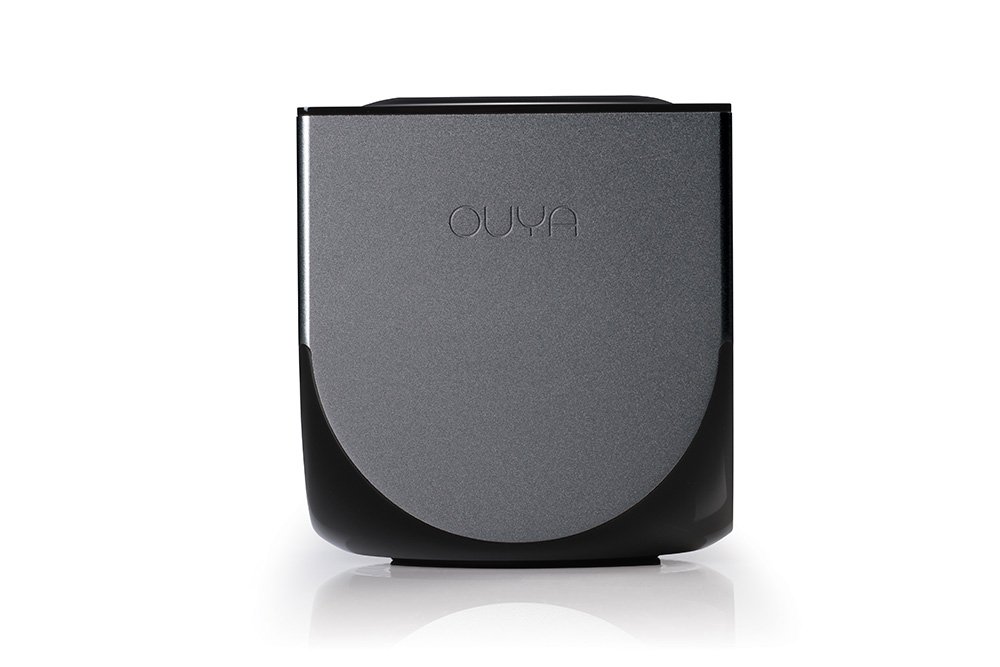
What I wanted to post today is about OUYA, this new gaming platform. It's a small console with an Android engine inside. You plug it to your TV through an HDMI cable and can start browsing the store to buy games.


Yesterday I installed the ODK, OUYA Development Kit, following the instructions here. I would like to try and write some games, as I have always been attracted by game development.
Since I don't own the console I thought I could not test what I produce. Luckily, there are some Android phones that have the same power more or less, so apparently test may be run on the virtual device from Eclipse. I will let you know if this is actually possible (I still don't see how to emulate the controller, for example...).

If I ever start programming something, I will show the outcomes here.

Tuesday, May 28, 2013

Closures...

I'm sorry for the long lack of updates. Recently I've been very busy. I travelled a lot and I had a lot of work to do, so not really much time to work on my project and discover new interesting things.
Today I want to post something that bothered me for a while. I was calling an asynchronous function, m_cli.get(), inside a for loop and wanted to keep the index variable as it was going to be used in the callback.
The first approach was the following, and of course was not working:

for(var i = 0; i < list.length; i++){
    mc_cli.get(list[i], function(err, response) {
        do_something(i);
    });
}


With this approach, the callback would always execute using the last value of i. So, for example, in the list was long 10, it would always call do_something(9). To fix the problem I tried with a closure:

do_something((function(x){return x})(i)) 


The idea is to "keep" somehow the variable so that it could call the function only when the callback returns and keeps the right index. Unfortunately, also this approach wont work. Also by creating the closure outside the for-loop and calling it in the callback would not lead to a satisfying result.
Later on, I managed somehow to fix the problem like this:

for(var i = 0; i < list.length; i++){
    (function(i){
        mc_cli.get( parsed_result.list[i], function(err, response) {
            do_something(i);
        });
    }(i));
}


The idea is that the parameter now is the input parameter of an anonymous function which will then call the asynchronous function and when the callback fires, call the do_something(i) which the local input parameter, which is the correct index (and not the last element of the array). Basically it will treat the index as an input parameter, thus "remembering" it through the execution of the asynchronous function.
Hope I helped somebody!